
Start your EVOTECH request in under a minute.

Commercial WiFi Installation Katy TX
Professional, reliable installation for homes and businesses across Katy, Houston, and the surrounding areas — clean workmanship, clear communication, and a fast, free quote.
Why customers choose EVOTECH IT LLC
Customers are not only looking for a company name. They are looking for proof that the company can perform the exact work, is truly local, has real examples, and understands the technical details.
- Exactly what we do: Commercial WiFi Installation Katy TX — installed properly, tested, and done right.
- Local relevance: service area includes Katy, Houston, Sugar Land, Cypress, Richmond, Fulshear, Brookshire, and West Houston.
- Proof of work: real project photos, documented installations, and verifiable local reviews.
- Professional depth: testing, documentation, programming, calibration, and warranty-quality workmanship where it applies.
- Easy to reach: a clear phone number, quote form, and a real local business you can verify.
EVOTECH position
“Katy/Houston expert for low-voltage, network cabling, access control, cameras, AV, and business technology installation.”
Professional, insured, and business-ready installation standards
Clean workmanship, labeled installation, and final testing on applicable systems
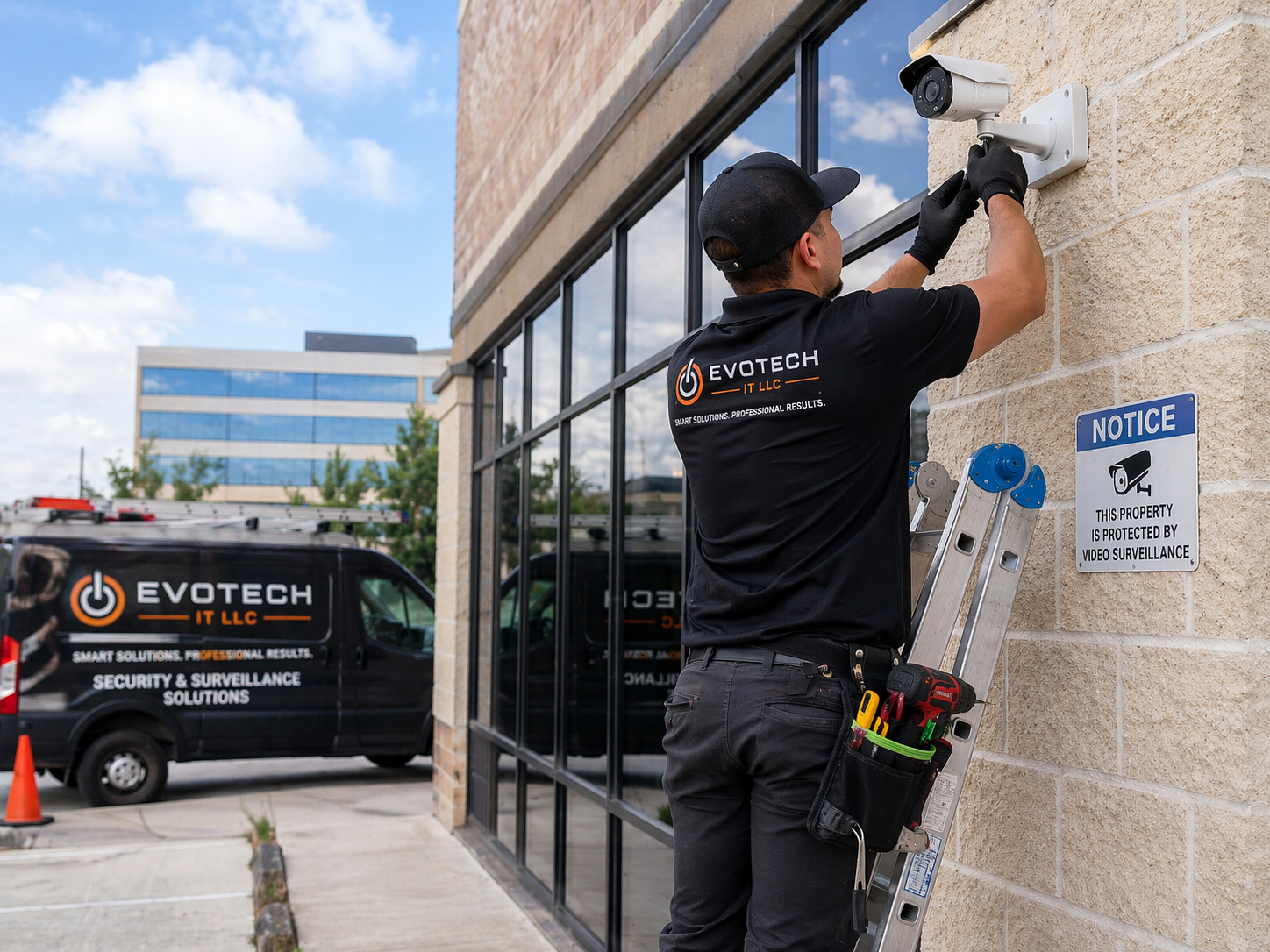
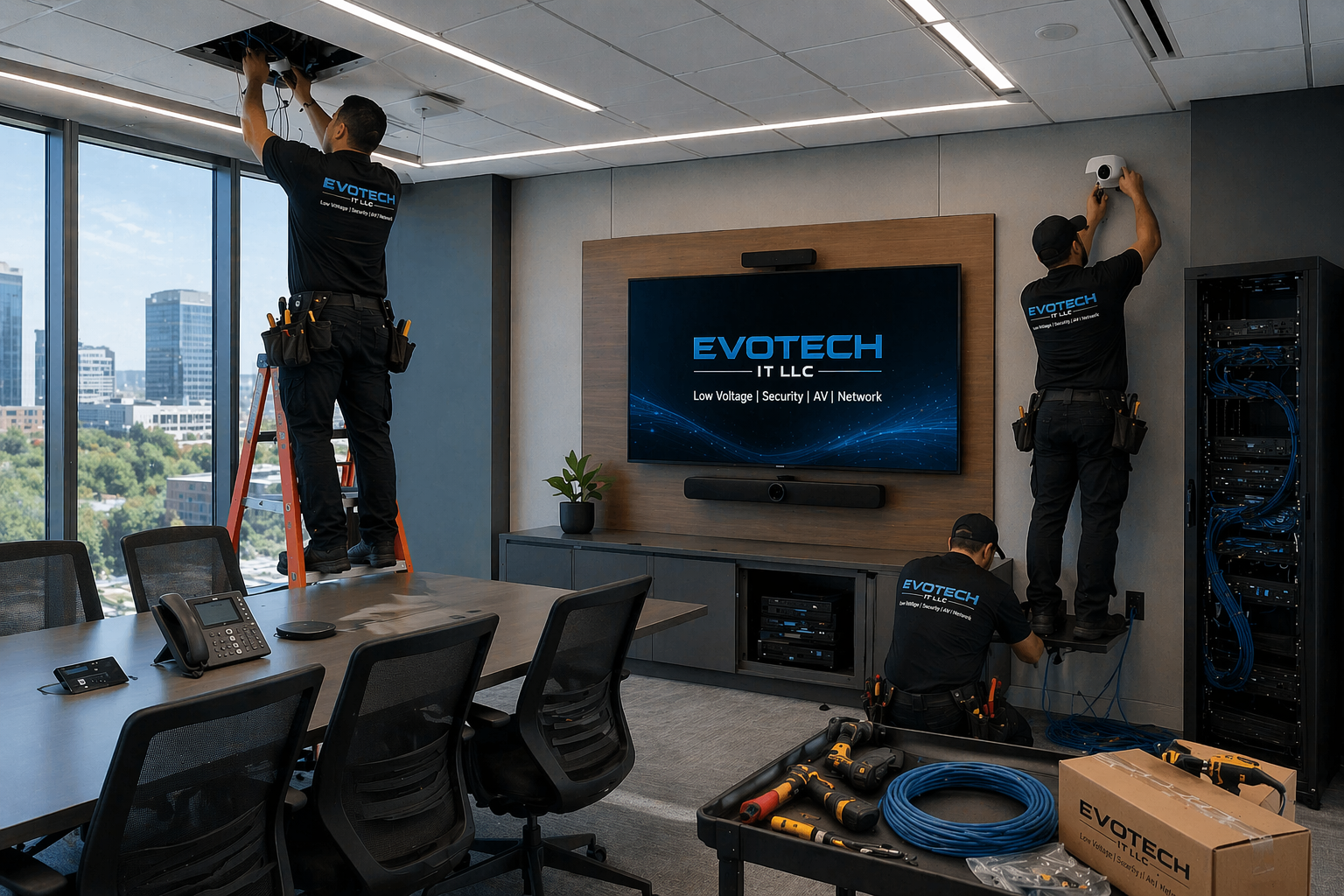
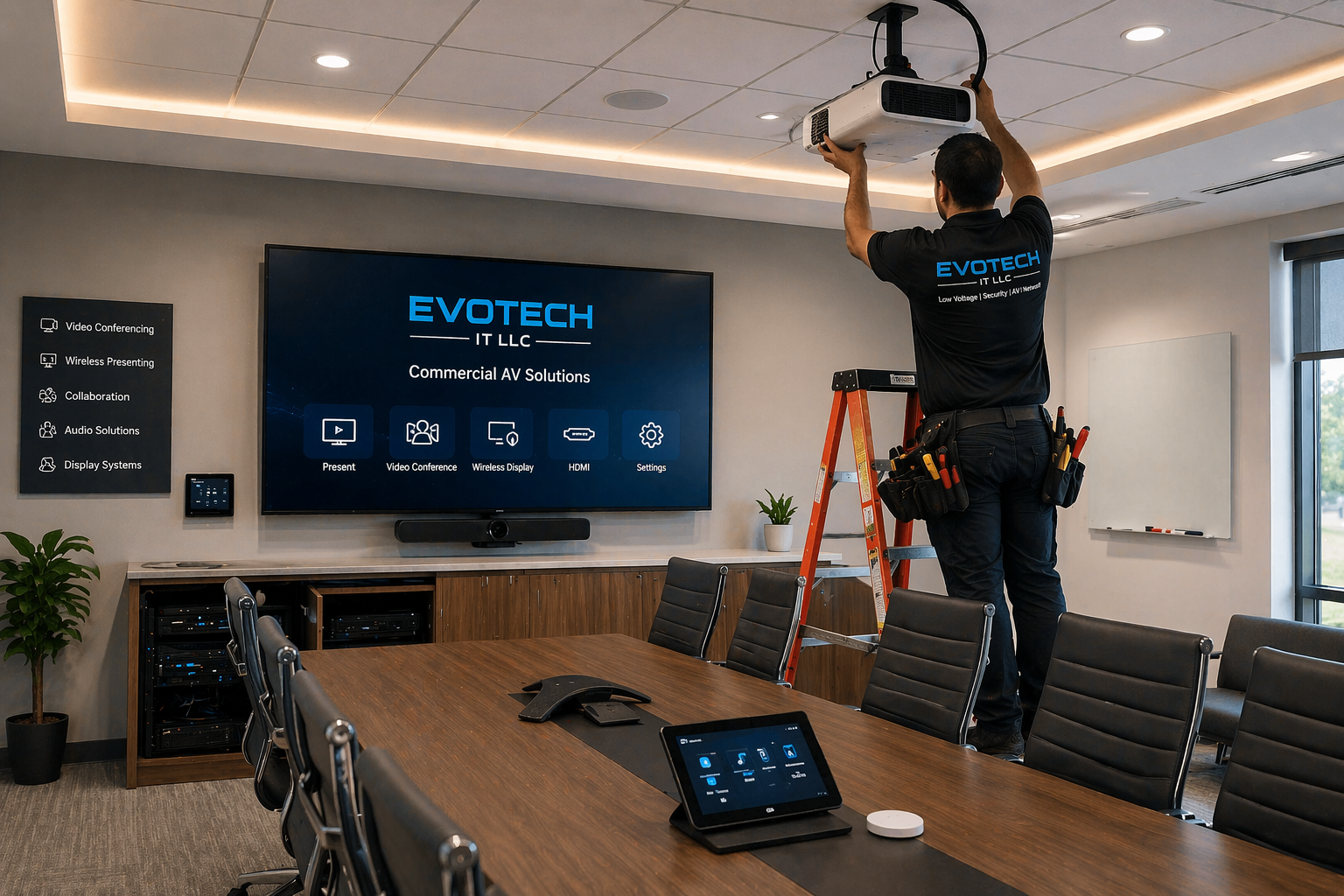
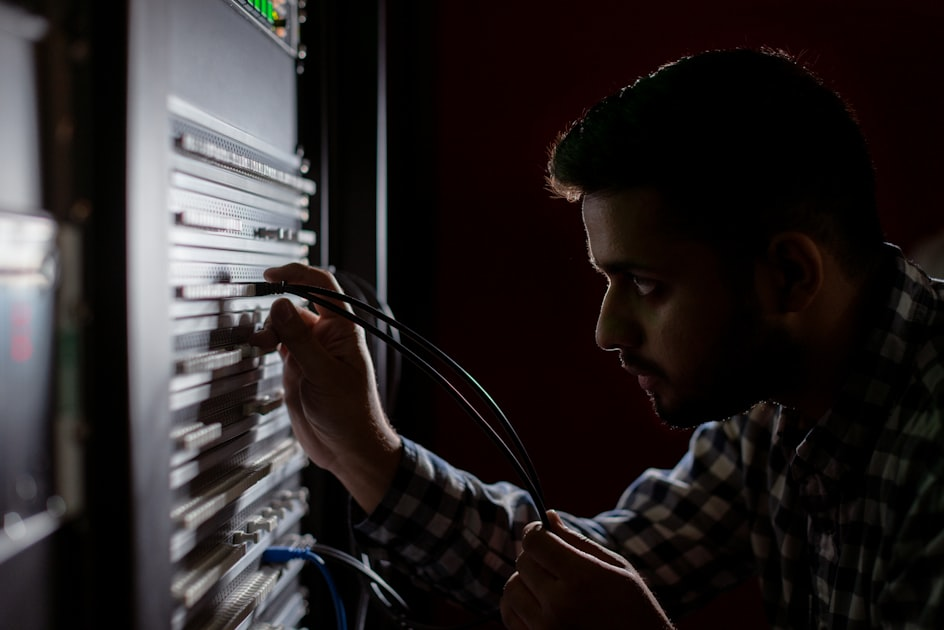
Real project photos and visual proof
Recent EVOTECH IT LLC installations from around the Katy and Houston area.
Professional scope for Wi-Fi installation
- Access point placement for coverage, capacity, and roaming
- PoE cabling, ceiling/wall mounting, and network controller setup
- Guest Wi-Fi, staff Wi-Fi, VLAN-ready planning, and business security basics
- Coverage testing and expansion planning for offices or homes
Core EVOTECH services
- WiFi access point installation
- Wireless access point installation
- WiFi access point setup
- Wireless access point setup
- Business WiFi installation
- Business WiFi setup
- Commercial WiFi installation
- Office WiFi installation
- Guest WiFi setup
- Guest WiFi installation
- Staff WiFi setup
- Secure WiFi setup
- WiFi network installation
- WiFi network setup
- WiFi planning
- WiFi coverage planning
- WiFi signal improvement
- WiFi optimization
- WiFi troubleshooting
- WiFi dead zone repair
- WiFi dead zone fix
- Whole home WiFi installation
- Home WiFi installation
- Mesh WiFi installation
- Mesh WiFi setup
- WiFi extender setup
- WiFi booster installation
- Router setup
- Router installation
- Modem router setup
- Network router configuration
- WiFi password setup
- WiFi name setup
- Guest network setup
- VLAN WiFi setup
- IoT network setup
- Smart device network setup
- Smart home network setup
- Smart home WiFi setup
- Smart device WiFi setup
- Smart device provisioning
- WiFi client provisioning
- Network-connected smart devices
- Smart home device installation
- Smart home automation
- Smart home setup
- Smart home installer
- Connected home setup
- Nest camera installation
- Nest camera setup
- Google Nest camera installation
- Google Nest doorbell installation
- Nest doorbell installation
- Ring doorbell installation
- Ring camera installation
- Ring camera setup
- Doorbell camera installation
- Video doorbell installation
- Smart doorbell installation
- Wireless camera setup
- WiFi camera setup
- Smart security camera setup
- Smart lock installation
- WiFi smart lock setup
- Smart thermostat installation
- Nest thermostat installation
- Ecobee thermostat installation
- Honeywell smart thermostat setup
- Smart light switch installation
- Smart lighting setup
- Smart plug setup
- Smart outlet setup
- Smart garage door opener setup
- Smart home hub setup
- Smart hub installation
- Alexa smart home setup
- Google Home setup
- Apple HomeKit setup
- Samsung SmartThings setup
- Smart speaker setup
- Smart display setup
- Smart sensor setup
- Motion sensor setup
- Door sensor setup
- Window sensor setup
- Smart smoke detector setup
- Smart water leak sensor setup
- Smart irrigation controller setup
- Smart TV WiFi setup
- Streaming device WiFi setup
- Camera WiFi troubleshooting
- Doorbell WiFi troubleshooting
- Smart thermostat WiFi troubleshooting
- Smart device connection repair
- Smart device app setup
- Smart device account setup
- Smart device reset and setup
- Smart device replacement setup
- Smart device migration
- Smart home troubleshooting
- Smart home system cleanup
- Smart home device training
- Smart automation consultation
- Smart home consultation
- Business wireless consultation
- WiFi access point cabling
- WiFi access point wiring
- Ceiling access point installation
- Wall mounted access point installation
- PoE access point installation
- PoE switch setup
- Access point network cabling
- Ubiquiti WiFi installation
- UniFi access point installation
- UniFi WiFi setup
- UniFi network setup
- TP-Link Omada setup
- Eero WiFi setup
- Google Nest WiFi setup
- Netgear Orbi setup
- Linksys Velop setup
- Aruba access point coordination
- Cisco Meraki access point coordination
- Outdoor WiFi access point installation
- Patio WiFi coverage setup
- Warehouse WiFi installation
- Retail WiFi installation
- Restaurant WiFi installation
- Medical office WiFi setup
- Dental office WiFi setup
- Church WiFi setup
- School WiFi setup
- Daycare WiFi setup
- Gym WiFi setup
- Salon WiFi setup
- Office buildout WiFi planning
- New office WiFi installation
- Commercial buildout WiFi cabling
- WiFi network documentation
- WiFi final walkthrough
What to look for when hiring an installer
Business identity
Real local service area, real phone number, real website, business email/domain, and clear company name.
Proof of work
Real photos, before-and-after examples, and a real project portfolio.
Reputation
Google reviews, recent customer feedback, and verified local business profiles.
Professional process
Testing, certification, programming, calibration, documentation, labeling, and final walkthrough when applicable.
Safety and risk
Licensed and insured, with a clear warranty, quality workmanship, and a code-aware approach.
Fast response
A clear call button, text/quote form, email, and direct contact for urgent installs.
Find & verify EVOTECH IT LLC online
These links help visitors verify the business across places where consumers commonly check before hiring a contractor, installer, or service provider.
Company trust links
Manufacturers & platforms we work with
What separates a real pro from a handyman?
- They speak in trade-specific terms and explain the installation path clearly.
- They document the scope, parts, wiring, equipment, programming, and handoff.
- They test, label, calibrate, or verify the system before calling the job complete.
- They show real proof: reviews, project photos, local listings, and direct contact information.
Questions to ask before hiring
- Do you handle the full installation or only part of it?
- Do you provide testing, certification, calibration, or final walkthrough?
- Can you show real photos of similar work?
- Do you provide an onsite quote and written scope?
Request a quote for Commercial WiFi Installation Katy TX
Tell EVOTECH what you need installed, how many drops, doors, cameras, rooms, TVs, phones, or access points, and whether this is residential or commercial.
FAQ
What is included in professional WiFi access point installation and wireless network setup?
Professional WiFi access point installation and wireless network setup includes WiFi planning, wireless access point placement, WiFi access point cabling, router setup, PoE switch setup, secure WiFi setup, guest WiFi setup, staff WiFi setup, smart device WiFi setup, coverage testing, WiFi optimization, and customer training. A professional wireless network is not only about plugging in a router. It is about creating strong, reliable, secure coverage for phones, laptops, tablets, smart TVs, security cameras, doorbell cameras, Nest cameras, Ring cameras, smart thermostats, smart locks, smart lighting, smart plugs, smart speakers, smart hubs, and all network-connected smart devices. For businesses, WiFi access point installation may include business WiFi installation, commercial WiFi setup, office WiFi installation, guest WiFi setup, staff WiFi setup, VLAN WiFi setup, and WiFi coverage planning. A business may need one network for employees, one guest network for customers, and a separate IoT network for smart devices, cameras, printers, point-of-sale systems, conference room equipment, or building automation. Professional WiFi planning helps prevent weak signal, overloaded routers, poor roaming, slow speeds, and connection drops. For homes, WiFi installation is now connected to smart home automation. A modern home may have Google Nest cameras, Nest doorbells, Ring doorbells, Ring cameras, smart thermostats, smart locks, Alexa devices, Google Home devices, Apple HomeKit devices, smart light switches, smart plugs, smart garage door openers, smart TVs, streaming devices, gaming consoles, tablets, phones, and laptops. These devices all depend on reliable WiFi. If the wireless network is weak, the smart home feels broken. Cameras disconnect, doorbells miss alerts, thermostats lose connection, smart locks respond slowly, and streaming devices buffer. A professional WiFi installer starts by reviewing the building layout. Walls, floors, distance, electrical interference, metal structures, mirrors, brick, concrete, insulation, ceiling height, and device density all affect WiFi performance. A small apartment may work with one strong router. A large home may need mesh WiFi or multiple access points. A business office may need ceiling-mounted wireless access points. A warehouse may need commercial access points with careful placement. A restaurant, salon, gym, medical office, dental office, church, daycare, school, or retail store may need both customer WiFi and staff WiFi. Access point placement is important. Wireless access points should be placed where they can provide clean coverage without creating too much overlap or interference. Ceiling WiFi access point installation is common in offices and commercial spaces because it gives wide coverage and keeps equipment clean and professional. Wall mounted access point installation may work in some homes or offices. Outdoor WiFi access point installation may be used for patios, outdoor seating, warehouses, yards, cameras, gates, or detached buildings. Cabling is also important. Professional WiFi access point cabling often uses Cat6 Ethernet cabling from the network closet, router, or switch to the access point location. PoE access point installation allows the same Ethernet cable to carry data and power when connected to a PoE switch. This makes the installation cleaner than running separate power adapters. WiFi access point wiring, access point network cabling, ceiling access point cabling, wall access point cabling, and cable labeling help create a system that is reliable and easy to service. Router setup and network configuration are also part of the job. A professional installer may configure the router, WiFi name, WiFi password, guest network, staff network, IoT network, VLAN settings, DHCP settings, firmware updates, security settings, and device naming. Secure WiFi setup is important because weak passwords or poorly configured networks can create security risks. A business should not put customer devices, staff devices, cameras, and payment systems all on one open network without planning. Guest WiFi setup is especially important for businesses. Customers may expect WiFi in waiting rooms, restaurants, salons, gyms, offices, retail stores, and service businesses. Guest WiFi should be separated from internal business devices when possible. Staff WiFi should be stable for operations. IoT network setup can help organize smart devices and network-connected equipment. This is why WiFi client provisioning and smart device provisioning matter. Each device should connect to the correct network. Smart device setup is a major part of modern wireless networking. Nest camera setup, Google Nest doorbell installation, Ring doorbell installation, Ring camera setup, smart thermostat installation, smart lock setup, smart lighting setup, smart plug setup, Alexa smart home setup, Google Home setup, Apple HomeKit setup, SmartThings setup, smart garage door opener setup, and smart home hub setup all depend on the network. The installer may help connect devices to the app, configure accounts, test alerts, verify live view, check remote access, and show the customer how to use the system. WiFi troubleshooting is often needed when devices fail. Common problems include WiFi dead zones, weak signal, overloaded routers, wrong password, old firmware, bad placement, too many devices, poor internet service, camera connection drops, smart doorbell offline issues, thermostat WiFi problems, and smart device app errors. Professional WiFi optimization can improve signal strength, reduce interference, separate networks, reposition access points, upgrade equipment, and stabilize smart devices. EVOTECH IT LLC provides WiFi access point installation, business WiFi setup, guest WiFi setup, office WiFi installation, commercial WiFi installation, smart home WiFi setup, smart device installation, Nest camera setup, Ring doorbell installation, smart thermostat installation, smart lock setup, smart lighting setup, router setup, mesh WiFi setup, WiFi troubleshooting, and smart home automation support for homes and businesses in Katy, Houston, Cypress, Sugar Land, Richmond, Fulshear, Brookshire, Cinco Ranch, Memorial Houston, and Energy Corridor Houston.
Why do smart home devices need a strong WiFi network?
Smart home devices need a strong WiFi network because most modern automation devices depend on stable wireless communication, app access, cloud connection, remote control, notifications, and real-time updates. A smart home is only as reliable as the network behind it. Nest cameras, Google Nest doorbells, Ring doorbells, Ring cameras, WiFi cameras, smart locks, smart thermostats, smart light switches, smart plugs, smart speakers, smart hubs, smart garage door openers, smart TVs, streaming devices, smart sensors, and smart security devices all need dependable WiFi. When WiFi is weak, smart home automation becomes frustrating. A Nest camera may go offline. A Ring doorbell may miss motion alerts. A doorbell camera may fail to load live video. A smart thermostat may disconnect from the app. A smart lock may respond slowly. Smart lighting may not follow automation schedules. Alexa or Google Home may fail to control devices. A smart TV may buffer. A garage door opener may not respond. These problems are often blamed on the smart device, but the real issue may be WiFi coverage, router setup, device placement, interference, or network overload. A strong smart home WiFi setup starts with planning. The installer should understand where the smart devices are located. Outdoor cameras need coverage near exterior walls, garages, driveways, gates, patios, and backyards. Doorbell cameras need strong signal near the front door. Smart thermostats need reliable signal near the hallway or living area. Smart locks may need Bluetooth, WiFi, hub connection, or bridge support. Smart lighting devices may depend on WiFi, Zigbee, Z-Wave, Matter, Thread, or a smart hub. Smart TVs and streaming devices need bandwidth for video. Many homes have one router placed wherever the internet provider installed it. This is often not enough. The router may be in a closet, garage, media panel, office corner, or upstairs room. Walls, distance, brick, metal, mirrors, appliances, and construction materials can reduce the signal. A professional smart home network setup may include mesh WiFi installation, whole home WiFi installation, WiFi access point installation, router upgrade, WiFi extender setup, or additional access points. The goal is to eliminate WiFi dead zones and provide strong signal where devices actually live. Network-connected smart devices also create device density. A home may have dozens of connected devices: phones, tablets, laptops, smart TVs, printers, cameras, doorbells, thermostats, smart locks, smart bulbs, smart plugs, speakers, gaming systems, garage door openers, irrigation controllers, sensors, and appliances. A basic router may struggle with too many devices. Smart device WiFi setup should consider how many devices are connected and whether the router or access points can handle them. Smart cameras and doorbells are especially demanding. Nest camera installation, Ring camera setup, Google Nest doorbell installation, Ring doorbell installation, WiFi camera setup, and smart security camera setup all require reliable upload speed and signal quality. Security cameras send video data, motion events, alerts, and live view streams. If the signal is weak, video quality drops, alerts delay, recordings fail, or cameras disconnect. Outdoor cameras may need stronger access point placement because exterior walls can block signal. Smart locks are also sensitive because they control access. Smart lock installation should include reliable connectivity and proper app setup. A smart lock may connect directly to WiFi or through a hub. If the network is unstable, remote lock and unlock commands may fail. Door access notifications may be delayed. User codes or schedules may not update correctly. For smart locks, reliability matters because they are part of the security and access experience. Smart thermostats also depend on a stable network. Nest thermostat installation, Ecobee thermostat installation, Honeywell smart thermostat setup, and other smart thermostat services may include WiFi connection, app setup, account setup, schedule setup, and remote access testing. If WiFi drops, the thermostat may still control temperature locally, but remote control and automation may fail. Smart lighting and smart plugs depend on consistent communication. Smart light switch installation, smart plug setup, smart outlet setup, smart lighting setup, and smart automation routines may fail if devices are on a weak network. In some homes, smart lights are spread across many rooms. If coverage is uneven, some devices work and others do not. A professional installer can help place WiFi or hubs better. Guest networks and IoT networks can improve smart home organization. Some homeowners prefer a separate smart device network for cameras, doorbells, TVs, and automation devices. IoT network setup and smart device network setup can help keep smart devices separated from personal computers or business devices. This can improve organization and sometimes security. Businesses also use this approach for guest WiFi, staff WiFi, and device networks. App setup is part of the smart device experience. Nest camera setup, Ring camera setup, Google Home setup, Alexa smart home setup, Apple HomeKit setup, SmartThings setup, smart hub setup, and smart device account setup can be confusing. A professional installer can connect devices, name rooms, verify alerts, test live view, test automation routines, and show the customer how to use the system. EVOTECH IT LLC provides smart home WiFi setup, smart home network setup, smart device installation, Nest camera installation, Ring doorbell installation, smart doorbell installation, smart lock installation, smart thermostat installation, smart lighting setup, smart plug setup, smart hub setup, Alexa smart home setup, Google Home setup, Apple HomeKit setup, mesh WiFi installation, WiFi access point installation, WiFi troubleshooting, and smart home automation support. A strong WiFi network turns smart devices from unreliable gadgets into a connected home system that works smoothly.
What is the difference between business WiFi, guest WiFi, and smart device networks?
Business WiFi, guest WiFi, and smart device networks serve different purposes. A professional wireless network setup separates users, devices, and traffic so the business network is more organized, secure, and reliable. For offices, retail stores, restaurants, medical offices, dental offices, gyms, salons, schools, churches, warehouses, and commercial properties, WiFi is not just one password. Business WiFi installation may include staff WiFi, guest WiFi, secure WiFi, VLAN WiFi setup, IoT network setup, wireless access point installation, WiFi access point cabling, and network-connected smart device provisioning. Business WiFi is the main wireless network used by employees and business operations. Staff may connect laptops, tablets, phones, printers, scanners, desk phones, conference room devices, point-of-sale systems, and business applications. This network should be secure, stable, and fast. Office WiFi installation, commercial WiFi installation, business WiFi setup, and staff WiFi setup should focus on reliability and security. The business WiFi network should not be treated like an open public hotspot. Guest WiFi is for customers, visitors, patients, vendors, students, church guests, gym members, or restaurant customers. Guest WiFi setup should provide internet access without exposing internal business devices. A customer in a waiting room should not be on the same unrestricted network as office computers, cameras, printers, phone systems, or payment devices. Professional guest WiFi installation helps create a cleaner separation between public access and internal operations. Smart device networks, also called IoT networks, are used for network-connected smart devices. These may include WiFi cameras, doorbell cameras, smart TVs, digital signage, thermostats, smart locks, access control devices, intercoms, printers, conference room devices, sensors, streaming devices, and building automation equipment. IoT network setup can help organize smart devices away from the main staff network and guest network. This makes the network easier to manage and may reduce risk if a device behaves poorly. In a business, many smart devices are not traditional computers but still need internet access. Security cameras, smart thermostats, wireless access points, conference room displays, digital signage screens, smart speakers, access control controllers, intercom systems, and network-connected automation devices may all use WiFi or Ethernet. If every device is placed on one flat network, troubleshooting becomes harder. A professional network setup can separate devices by purpose. VLAN WiFi setup may be used in more advanced installations. A VLAN allows separate networks to exist across the same physical infrastructure. For example, one wireless access point can broadcast staff WiFi, guest WiFi, and IoT WiFi while keeping traffic separated through configuration. This is common with UniFi access point installation, Ubiquiti WiFi installation, TP-Link Omada setup, and business-grade networking equipment. VLAN planning can support security, performance, and organization. Wireless access point placement affects all three network types. A business may have strong WiFi in the front office but weak WiFi in the warehouse, conference room, patio, waiting area, or stock room. WiFi coverage planning helps place access points correctly. Ceiling access point installation may provide strong coverage in offices and commercial areas. Wall mounted access point installation may be used in smaller spaces. Outdoor WiFi access points may support patios, gates, yards, outdoor cameras, or warehouse areas. Guest WiFi performance matters because customers judge businesses by connectivity. A restaurant with poor guest WiFi may frustrate customers. A medical office with weak waiting room WiFi may create a poor experience. A retail store may use WiFi for customers and internal devices. A gym may need WiFi for members and staff. Guest network setup should include proper password, coverage, bandwidth planning, and separation from staff devices. Smart device provisioning is also important. WiFi client provisioning means connecting each device to the correct network, naming it properly, testing it, and verifying the app or management system. Smart device provisioning may include connecting Nest cameras, Ring cameras, smart doorbells, smart thermostats, smart locks, smart lighting, smart plugs, smart TVs, streaming devices, printers, and business devices to the right WiFi network. The wrong network can create problems later. For example, a camera on guest WiFi may lose access to the intended recorder or management app. A printer on guest WiFi may not be reachable by staff computers. A smart display on the wrong network may not cast correctly. Businesses also need secure WiFi setup. Passwords should be managed carefully. Guest networks should not use the same password as staff networks. Former employees should not retain access. Devices should be documented. A professional WiFi installation may include WiFi password setup, staff WiFi setup, guest WiFi setup, smart device network setup, router configuration, access point configuration, and final documentation. Homes can benefit from separation too. A homeowner may want a main WiFi network for phones and computers, a guest network for visitors, and an IoT network for smart home devices. Smart home WiFi setup, smart device network setup, Nest camera setup, Ring doorbell installation, smart lock setup, smart thermostat setup, and Alexa or Google Home setup can be more stable when the network is planned properly. EVOTECH IT LLC provides business WiFi installation, guest WiFi setup, staff WiFi setup, secure WiFi setup, wireless access point installation, WiFi planning, WiFi access point cabling, WiFi optimization, smart device provisioning, IoT network setup, smart home network setup, Nest camera setup, Ring doorbell setup, smart lock setup, smart thermostat setup, and network-connected smart device support. The goal is simple: separate the right devices, improve coverage, reduce connection problems, and make the wireless network easier to manage.
What should I ask before hiring a WiFi installer or smart home automation installer?
Before hiring a WiFi installer, wireless access point installer, business WiFi installer, smart home installer, smart device installer, or smart home automation installer, you should ask questions that show whether the company understands wireless coverage, access point placement, router setup, network cabling, guest WiFi, smart device provisioning, cameras, doorbells, smart locks, smart thermostats, smart hubs, and long-term troubleshooting. WiFi and smart home automation are connected. A smart home or smart business cannot work reliably without a stable network. The first question is whether the installer handles both WiFi and smart devices. Some companies only install routers. Some only install cameras. A stronger provider understands WiFi access point installation, smart home WiFi setup, smart device installation, Nest camera setup, Ring doorbell installation, smart thermostat installation, smart lock setup, smart lighting setup, Google Home setup, Alexa smart home setup, Apple HomeKit setup, mesh WiFi setup, and WiFi troubleshooting. This matters because smart device problems are often network problems. The second question is whether they review your building layout. WiFi coverage depends on walls, distance, floors, ceiling height, construction material, interference, and device count. A professional WiFi installer should ask where the weak areas are, where cameras are located, where doorbells are installed, where smart TVs are used, where offices are located, where customers sit, and where employees need coverage. WiFi planning and WiFi coverage planning should happen before equipment is placed. The third question is whether access points will be wired or wireless mesh. Wired access points are usually more reliable because each access point connects back to the network by Ethernet cable. WiFi access point cabling, access point network cabling, Cat6 access point wiring, PoE switch setup, ceiling access point installation, and wall mounted access point installation can create a stronger network. Mesh WiFi installation can be useful in some homes, but wired access points are often better for businesses and large homes when cabling is possible. The fourth question is whether the installer understands business WiFi separation. If this is a business, ask about staff WiFi, guest WiFi, secure WiFi, VLAN WiFi setup, IoT network setup, smart device network setup, and WiFi client provisioning. Customers should not be on the same unrestricted network as office computers, cameras, phone systems, printers, or payment devices. A professional business WiFi setup should separate users and devices when possible. The fifth question is whether smart devices will be connected and tested. Smart device installation should include app setup, account setup, WiFi connection, firmware check when applicable, device naming, room naming, alert testing, live view testing, automation testing, and user training. Nest camera installation, Google Nest doorbell installation, Ring camera setup, Ring doorbell installation, smart lock installation, smart thermostat installation, smart lighting setup, smart plug setup, smart garage door opener setup, and smart hub setup all require final testing. The sixth question is whether the installer can troubleshoot existing devices. Many customers already have smart devices that are offline, slow, disconnected, or badly organized. Smart home troubleshooting may include resetting devices, reconnecting devices, improving WiFi coverage, moving access points, replacing routers, separating networks, updating apps, renaming devices, and cleaning up old accounts. WiFi camera troubleshooting, doorbell WiFi troubleshooting, smart thermostat WiFi troubleshooting, smart lock connection repair, and smart device app setup are common needs. The seventh question is whether they understand brands and ecosystems. Smart home automation can involve Google Nest, Ring, Alexa, Google Home, Apple HomeKit, Samsung SmartThings, Ecobee, Eero, Ubiquiti UniFi, TP-Link Omada, Netgear Orbi, Linksys Velop, Arlo, Reolink, Amcrest, and many other devices. A professional smart home installer should understand that each brand has different setup steps, app requirements, WiFi behavior, and account permissions. The eighth question is whether security is considered. Smart devices should not be installed with weak passwords or careless account setup. Secure WiFi setup, strong WiFi passwords, guest network setup, device account security, app permissions, and customer handoff matter. Cameras, doorbells, locks, and thermostats are sensitive devices. A professional installer should treat them seriously. The ninth question is whether the system can grow. A customer may start with one Ring doorbell and later add Nest cameras, smart locks, smart thermostats, smart lights, smart plugs, smart speakers, outdoor cameras, smart garage controls, WiFi access points, and business guest WiFi. The network should be ready for more devices. Smart home automation should be planned as a system, not random disconnected gadgets. The tenth question is whether the company provides local proof and support. A WiFi installer or smart home automation installer serving Katy, Houston, Cypress, Sugar Land, Richmond, Fulshear, Brookshire, Cinco Ranch, Memorial Houston, and Energy Corridor Houston should have real business identity, a working phone number, service pages, reviews, photos, and clear descriptions of WiFi and smart device services. EVOTECH IT LLC provides WiFi access point installation, wireless access point setup, business WiFi setup, guest WiFi setup, office WiFi installation, commercial WiFi installation, smart home WiFi setup, smart home network setup, smart device installation, Nest camera installation, Ring doorbell installation, smart doorbell setup, smart lock installation, smart thermostat setup, smart lighting setup, smart hub setup, Alexa smart home setup, Google Home setup, Apple HomeKit setup, router setup, mesh WiFi setup, WiFi troubleshooting, WiFi dead zone repair, smart device provisioning, and smart home automation support. Before hiring a WiFi or smart home installer, choose a company that can build the network first, then connect the devices correctly.
Ready to make EVOTECH the obvious choice?
Katy/Houston expert for low-voltage, network cabling, access control, cameras, AV, and business technology installation.
Nearby areas & related services
Ready for EVOTECH to help?
Before you leave, send the quick version. We will review the page you came from and reply with the clean next step.